> ## Documentation Index
> Fetch the complete documentation index at: https://docs.loadforge.com/llms.txt
> Use this file to discover all available pages before exploring further.
# Host Overview
> About Hosts on LoadForge
A **Host** on LoadForge is essentially a **website or API**—a domain name that we monitor for health and performance and use for running load tests.
Verifying a Host enables **advanced monitoring**, including:
* **Health checks** to ensure uptime and availability.
* **Performance tracking** to measure response times and bottlenecks.
* **User experience analysis** to assess real-world usage.
Once you add a host, our systems **automatically scan** it to detect what technologies are running, as shown in the image below:
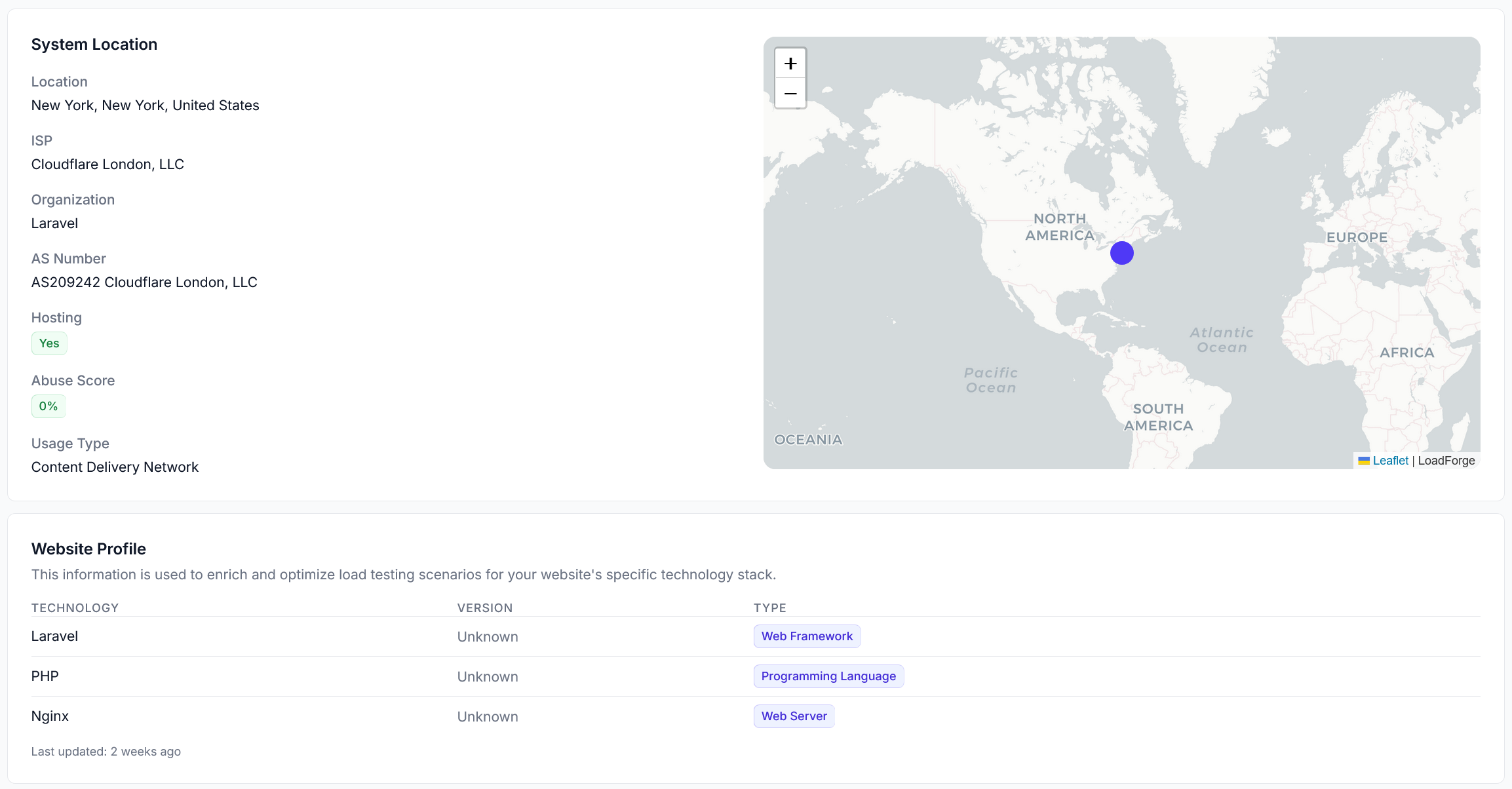 This scanning process allows our **AI-driven test wizard** and other features to better understand your site, enabling smarter recommendations and test configurations tailored to your technology stack.
## Benefits of Verifying a Host
Verify multiple hosts to compare performance across different environments (staging vs. production) to catch performance issues before they affect your users.
When you verify a host, you unlock powerful monitoring and insights, including:
* **Automated performance tracking**: Continuous health checks every 5 minutes.
* **Real-time alerts**: Notifications via email, Slack, or Zapier for downtime or performance issues.
* **CrUX (Chrome User Experience) Data**: Real-world user experience metrics from Chrome browsers.
* **Historical analysis**: Track trends over time and compare performance before and after optimizations.
## Next Steps
To get started, add your host in LoadForge and complete the **verification process** using one of the available methods:
* **Meta Tag**: Insert a verification tag in your website's HTML.
* **File Upload**: Place a verification file in your web directory.
* **DNS TXT Record**: Add a DNS entry for domain-level validation.
Once verified, LoadForge will begin monitoring and analyzing your host automatically.
Learn how to verify your host quickly and easily.
Learn how to track real user experience with Hosts.
This scanning process allows our **AI-driven test wizard** and other features to better understand your site, enabling smarter recommendations and test configurations tailored to your technology stack.
## Benefits of Verifying a Host
Verify multiple hosts to compare performance across different environments (staging vs. production) to catch performance issues before they affect your users.
When you verify a host, you unlock powerful monitoring and insights, including:
* **Automated performance tracking**: Continuous health checks every 5 minutes.
* **Real-time alerts**: Notifications via email, Slack, or Zapier for downtime or performance issues.
* **CrUX (Chrome User Experience) Data**: Real-world user experience metrics from Chrome browsers.
* **Historical analysis**: Track trends over time and compare performance before and after optimizations.
## Next Steps
To get started, add your host in LoadForge and complete the **verification process** using one of the available methods:
* **Meta Tag**: Insert a verification tag in your website's HTML.
* **File Upload**: Place a verification file in your web directory.
* **DNS TXT Record**: Add a DNS entry for domain-level validation.
Once verified, LoadForge will begin monitoring and analyzing your host automatically.
Learn how to verify your host quickly and easily.
Learn how to track real user experience with Hosts.