> ## Documentation Index
> Fetch the complete documentation index at: https://docs.loadforge.com/llms.txt
> Use this file to discover all available pages before exploring further.
# Performance Monitoring
> Comprehensive performance monitoring and analysis for your web applications
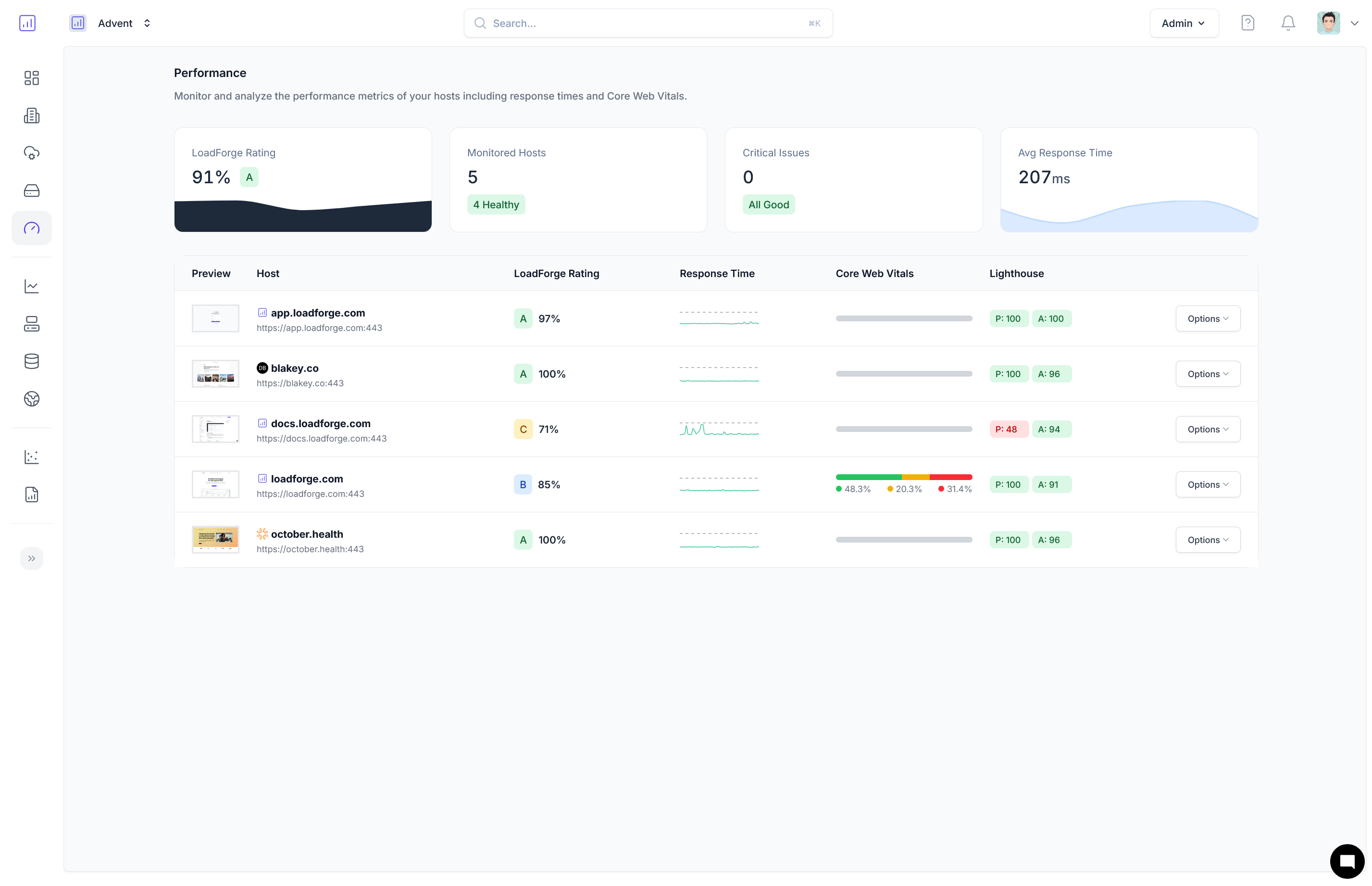
LoadForge's Performance Monitoring provides comprehensive insights into your web application's performance across multiple dimensions. By combining server-side metrics, real user experience data, and technical performance analysis, we help you identify and resolve performance issues before they impact your users.
 ## Key Performance Areas
Monitor server response times and uptime reliability
Track real user experience metrics from Chrome browsers
Evaluate technical performance, accessibility, best practices, and SEO
## LoadForge Score
The [LoadForge Score](/performance/loadforge-score) combines data from all performance areas to provide a single, comprehensive rating of your site's overall performance. This A-F grading system helps you quickly understand your site's health and prioritize optimization efforts.
## Benefits of Performance Monitoring
* **Early Detection**: Identify performance issues before they impact users
* **Comprehensive Analysis**: Understand performance from both technical and user perspectives
* **Actionable Insights**: Receive specific recommendations for improvement
* **Historical Tracking**: Monitor performance trends over time
* **Sub-Page Analysis**: Evaluate performance across different sections of your site
## Getting Started
Performance monitoring is automatically enabled for all verified hosts. To get started:
1. [Add and verify your host](/hosts/overview)
2. Allow 24-48 hours for initial data collection
3. Review your [LoadForge Score](/performance/loadforge-score) and detailed metrics
4. Implement recommended optimizations
5. Track improvements over time
## Key Performance Areas
Monitor server response times and uptime reliability
Track real user experience metrics from Chrome browsers
Evaluate technical performance, accessibility, best practices, and SEO
## LoadForge Score
The [LoadForge Score](/performance/loadforge-score) combines data from all performance areas to provide a single, comprehensive rating of your site's overall performance. This A-F grading system helps you quickly understand your site's health and prioritize optimization efforts.
## Benefits of Performance Monitoring
* **Early Detection**: Identify performance issues before they impact users
* **Comprehensive Analysis**: Understand performance from both technical and user perspectives
* **Actionable Insights**: Receive specific recommendations for improvement
* **Historical Tracking**: Monitor performance trends over time
* **Sub-Page Analysis**: Evaluate performance across different sections of your site
## Getting Started
Performance monitoring is automatically enabled for all verified hosts. To get started:
1. [Add and verify your host](/hosts/overview)
2. Allow 24-48 hours for initial data collection
3. Review your [LoadForge Score](/performance/loadforge-score) and detailed metrics
4. Implement recommended optimizations
5. Track improvements over time